
Planado can be applicable to many different business areas. Here are just some of them:
Streamline communication with your field workers — assign tasks and monitor their completion online without the need for messengers, spreadsheets, or other tools. Every employee can view their assigned tasks and schedules directly through the mobile app.
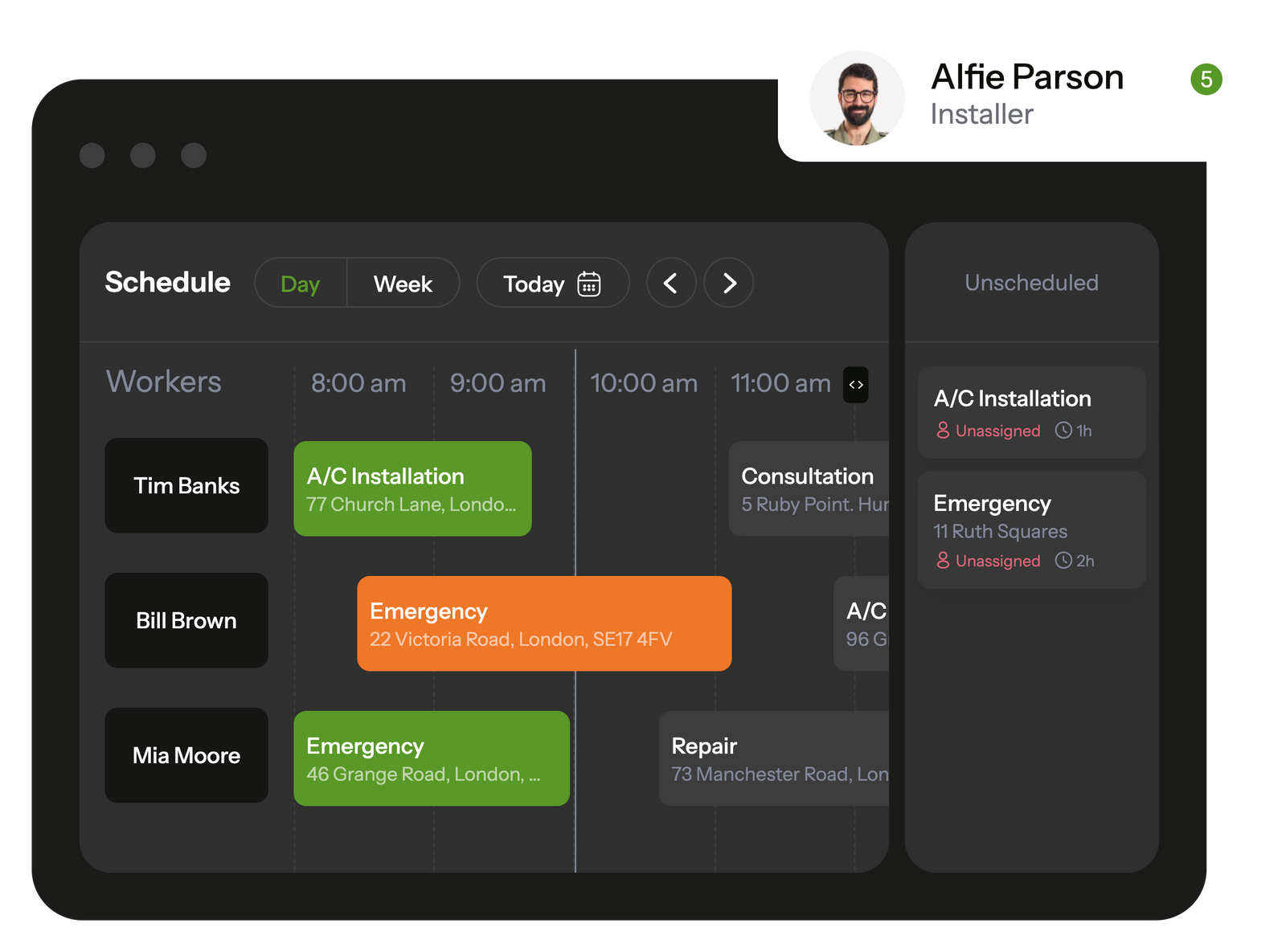
Using Planado’s mobile interface, field workers can view all their scheduled tasks and receive notifications about new assignments.
The built-in job checklists ensure that workers won't overlook any tasks on their to-do list.
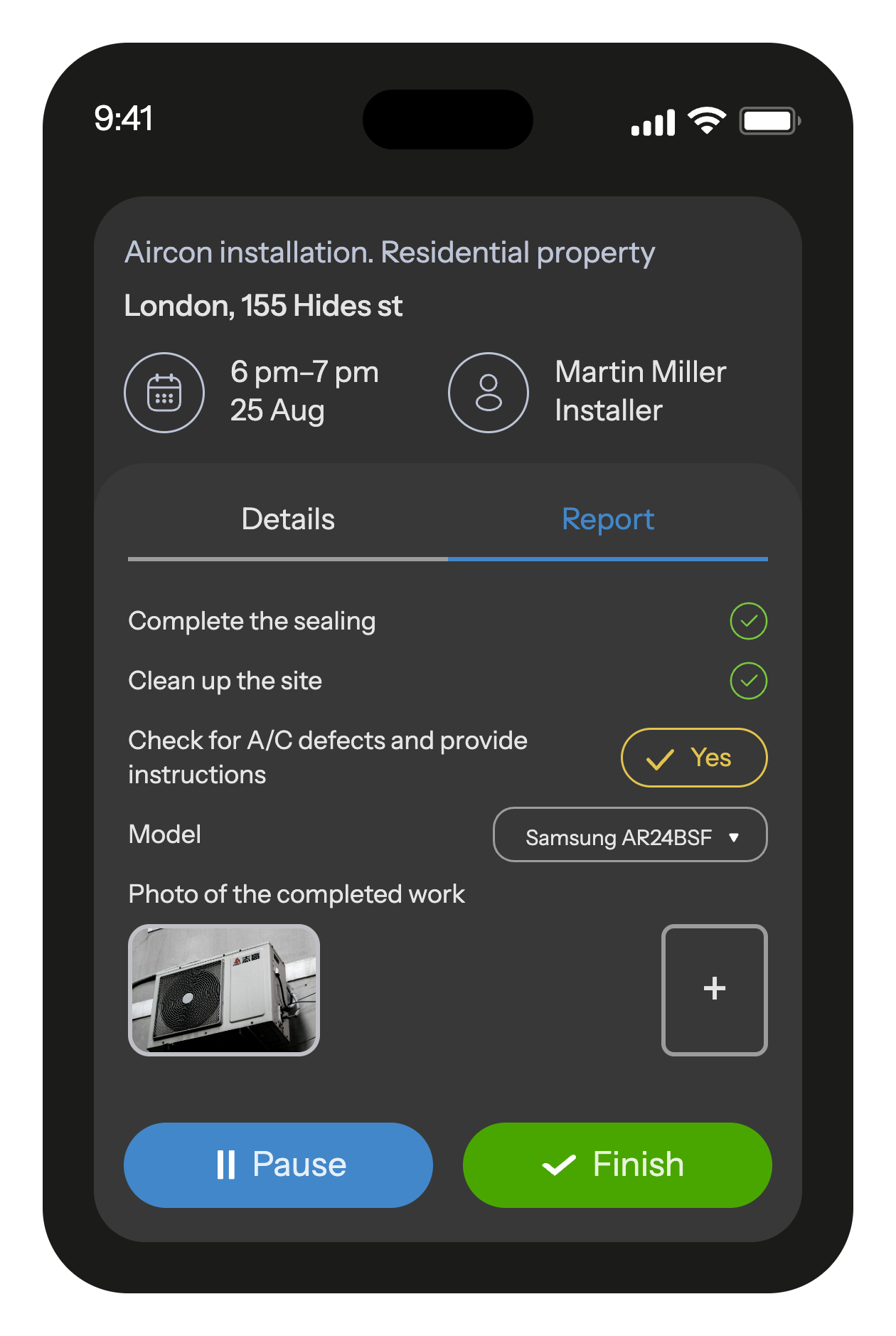
Upon completing a job, workers can fill out a customizable job report, including photos and various fields. Additionally, clients have the ability to sign documents directly on the smartphone screen
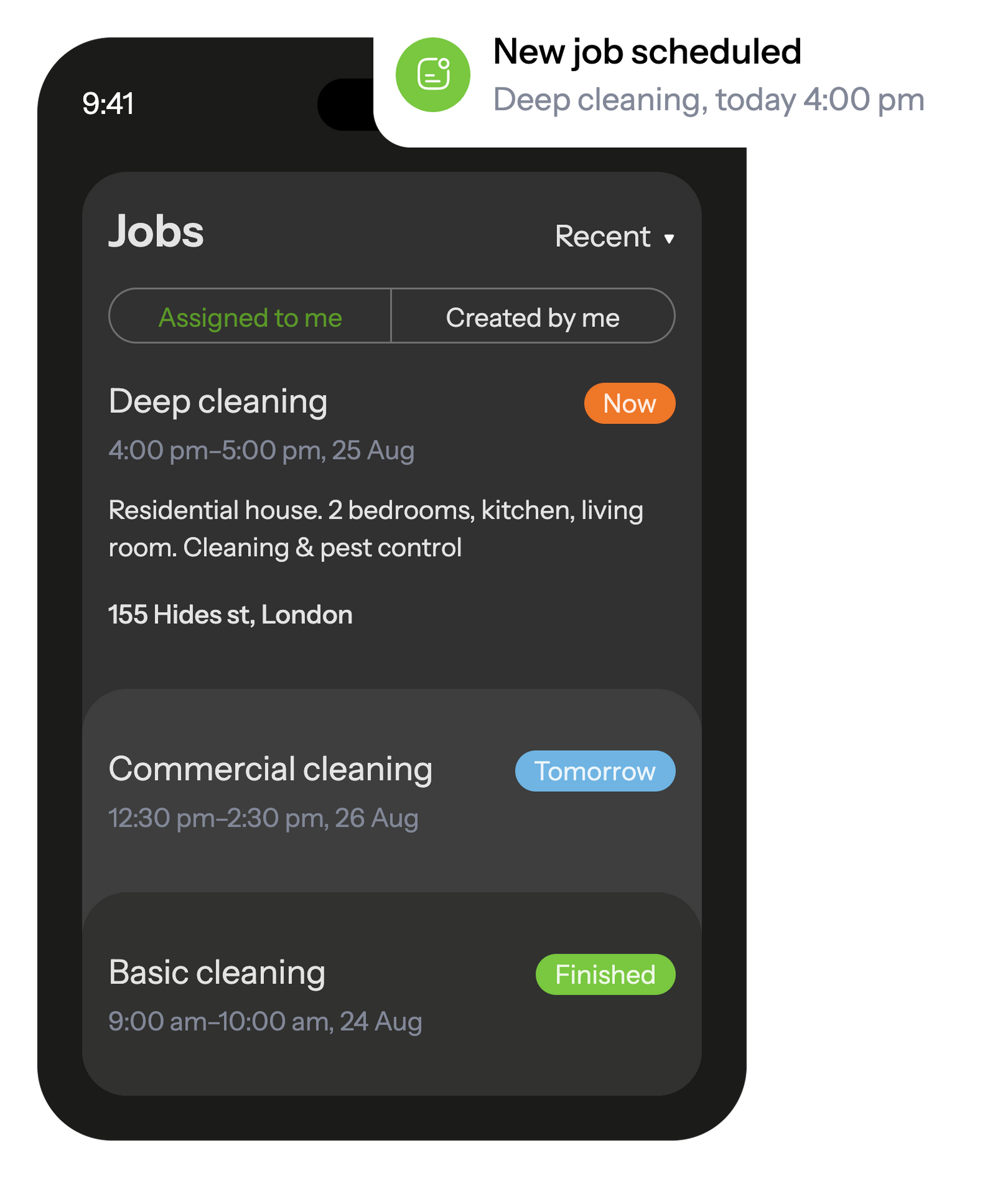
Enhance performance quality control through customizable checklists and job reports. Workers can easily complete these directly in the mobile app, including text entries, photos, mandatory forms, and various field types. Impressively, all these tasks can be accomplished even without an Internet connection!
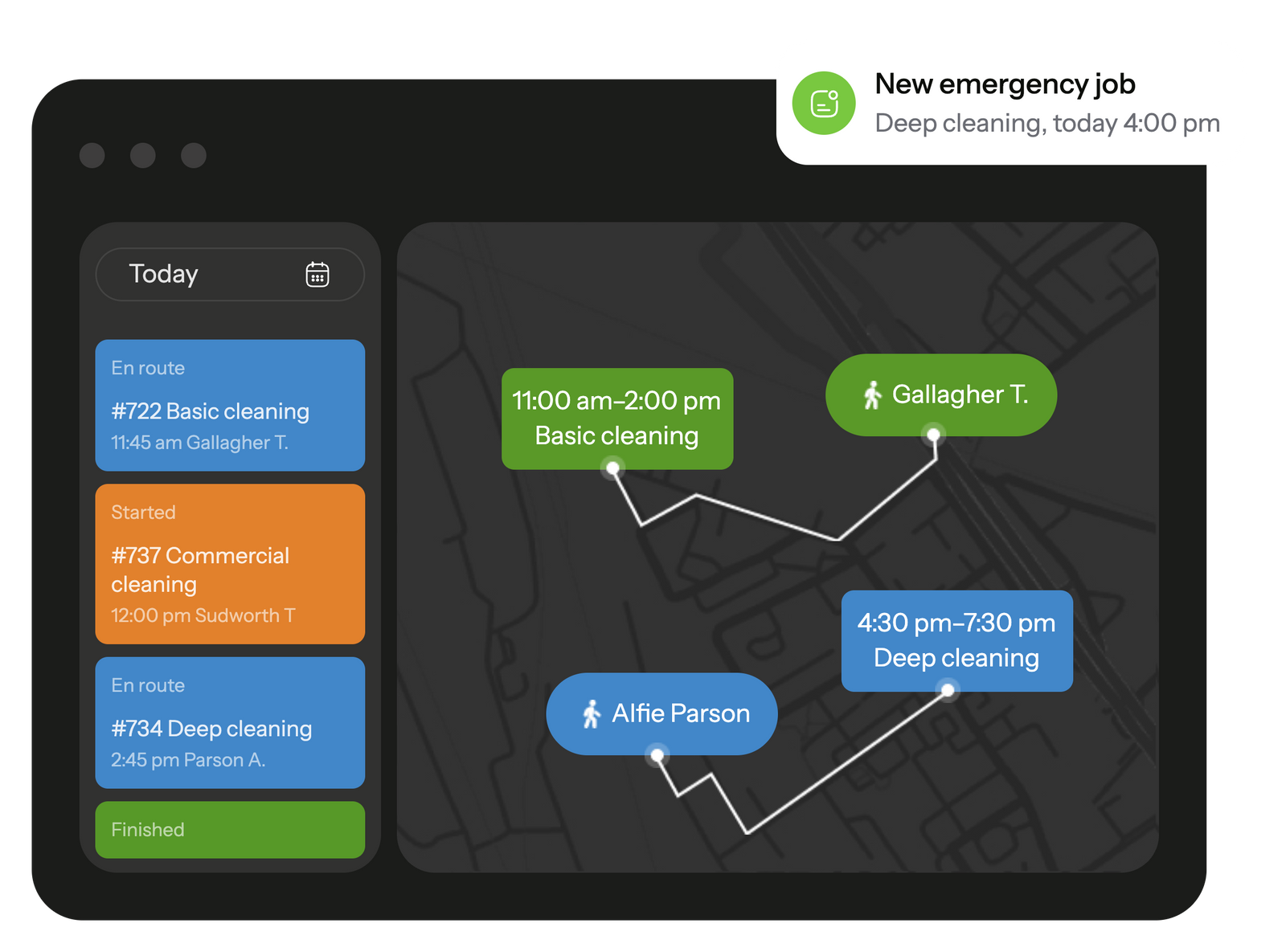
Track your workers' trip during working hours, schedule jobs to your workers based on their location right on the map.
GPS location tracking helps calculate mileage and assign the closest worker to an urgent job.

Seamlessly integrate Planado with your existing IT infrastructure to unlock enhanced capabilities for managing large-scale enterprises
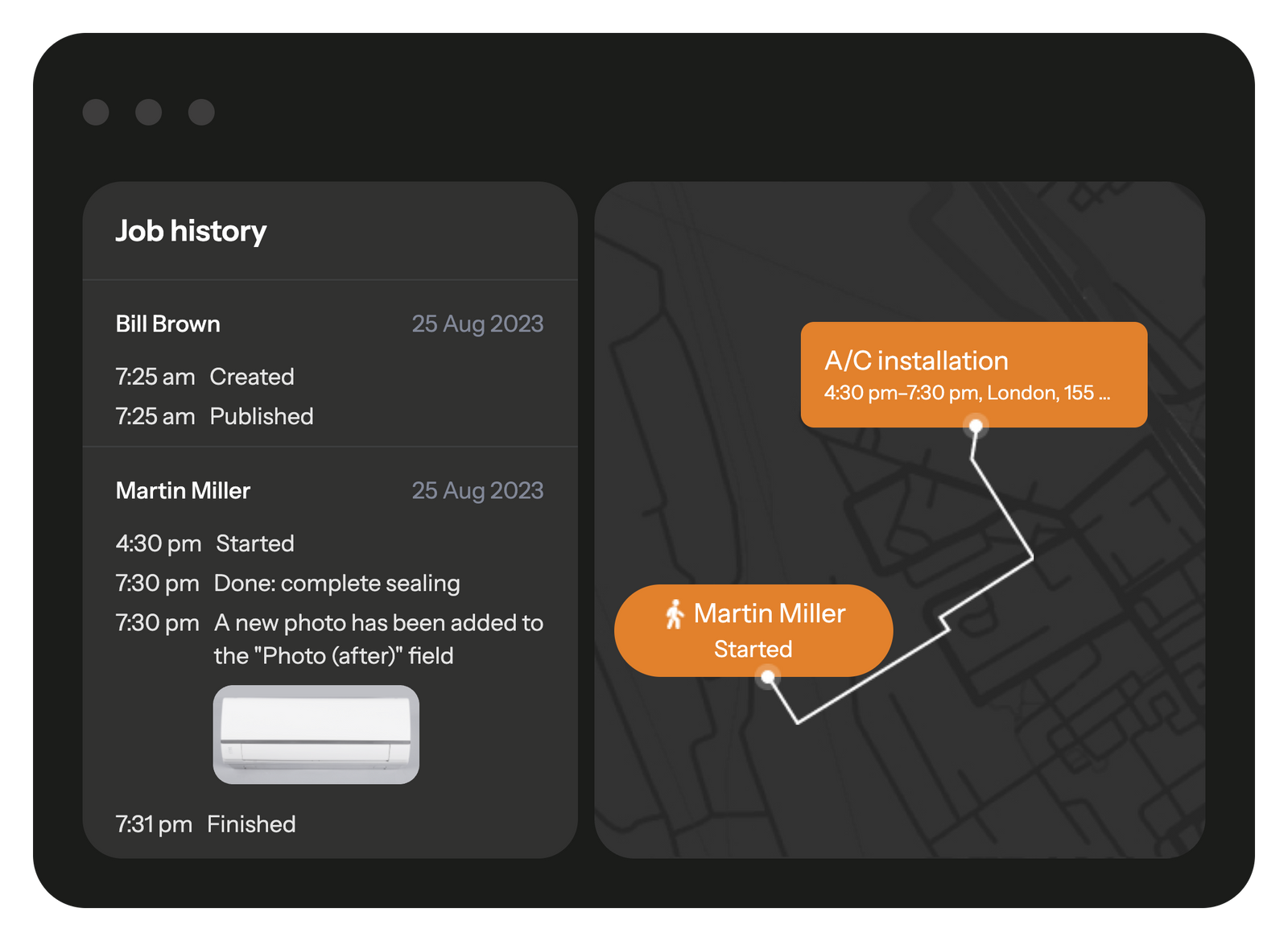
Monitor your workers' performance by viewing the logs of each completed job.
You can access a detailed job report, which includes all changes made: locations and timings of job order reception, start, and completion by the worker.
Gain access to over 3000 ready-made integrations and seamlessly connect Planado with CRM systems, HelpDesk tools, and a variety of other cloud services, all without the need for programming.
You can integrate Planado with any software using our REST API and webhooks. Do it on your own, or reach out for assistance from the Planado Team!
Is your language missing? It is possible to add any language to Planado. Contact us for details








Planado is a cloud-based Field Service Management (FSM) platform that helps teams plan work orders, track execution, collect photo reports, monitor technician locations, and deliver transparent customer reports. It’s ideal for any field‑service vertical: cleaning, plumbing, electrical, windows/doors, HVAC, retail and merchandising, pest control, repair and construction, and service departments.
It consolidates scattered tools (chats, spreadsheets, messengers) into a single interface for dispatchers and a mobile app for technicians, reducing coordination overhead, speeding up assignments, and improving accountability.
Consistent service quality through standardised workflows and reporting, clear status updates, faster responses, and a smoother communication experience end‑to‑end.
None beyond standard devices. Office staff access Planado via any web browser on a computer or tablet. Field crews use an Android or iOS smartphone/tablet; one device per crew is sufficient. No servers or on‑prem installation required.
Yes. It supports bulk imports of staff and assets, smart task distribution across crews, workload tracking, and scales from small teams to thousands of users.
Quick start includes bulk imports via file or API, preconfigured templates and job types, plus step‑by‑step guides and videos. The UI is intuitive, training is minimal, and support assists throughout onboarding and rollout.
Yes. Native integrations with CRM, plus a REST API for any external system - automating data exchange for customers, requests, statuses, and files.
Yes. Granular roles and permissions, per‑team/project visibility, and full user activity history/audit logs.
Intuitive mobile app for technicians; flexible checklists and reports for any industry; automatic photo evidence and customer transparency; rapid rollout (1–5 days); offline‑ready mobile app; and scalable, API‑friendly integrations—10 to 5,000+ users.
Customers receive an SMS with scheduled date/time; live technician tracking via a map link when en route; and, after completion, access to photo reports, documents, and service acts in a portal—plus feedback submission or easy re‑booking.
Pricing scales by user count and plan. Annual billing includes a 15% discount. Custom enterprise plans are available. See the Pricing page for current details.
Yes. The app buffers data offline and automatically syncs once connectivity is restored (including over Wi‑Fi).
Yes. Free “Quick Start” program, built‑in onboarding for admins/users, a clear Knowledge Base with video tutorials and templates by industry, and responsive technical support.
Yes. Basic materials tracking within work orders; advanced warehouse/inventory management via integration with ERP systems.
Yes. Electronic signatures captured with a stylus or finger, complete with timestamps and geolocation.